• MuseVideoMuseVideo
Explore
  • Home
  • All Tools
  • Image Models
  • Video Models
  • AI Effects
Create
  • AI Image Generator
  • AI Video Generator
  • AI Music Video
Workspace
  • My Creations
  • Pricing
Meta Muse VideoMeta Muse Video
  • Home
  • AI Video

    Video Models

    • Wan 2.5Wan 2.5Alibaba
    • Kling 2.6Kling 2.6Kuaishou
    • Grok ImagineGrok
  • AI Image

    Image Models

    • Nano BananaGoogle
    • Nano Banana 2Google
    • Nano Banana ProGoogle
    • GPT Image 2GPT Image 2OpenAI
  • AI Music
    AI Music Video
  • AI Effects

    Latest effects

    View all effects
    AI Fat FilterZootopia OC MakerAI Wedding Dress GeneratorFull Body AI GeneratorAI Pokemon Trainer GeneratorBirth Flower Tattoo GeneratorAI Future Baby GeneratorAI Influencer PhotoAI Long Hair Filter
  • Pricing
Sign up for free
  1. Home
  2. AI Effects
  3. AI Fat Filter

AI Fat Filter: See a Fuller Face or Body from One Photo

Upload one adult portrait and AI Fat Filter creates a fictional fuller-face or fuller-body preview. Choose the intensity and area, check the credit cost, then compare the result with your original.

AI Fat Filter

Upload adult portrait

Intensity
Target area
Image size
Number of images

Each image is generated and charged separately.

Private generationYour upload and generated images are not published to a public gallery. Storage and generation providers still process them.Private
Required credits10 credits
10 credits each × 1Balance not loaded

Use an adult portrait you have permission to edit. Photos are sent to the generation provider. Privacy policy

All my creations
AI Fat Filter before-and-after example of the same fictional adult with a balanced fuller-body editExample previewBeforeAfter

AI-created fictional comparison. Upload an adult portrait to create your own still image.

Try an AI Photo Fat Filter Online

A quick what-if preview, with no real-world change.

Upload one adult portrait for a balanced face-and-body edit, or pick a subtle or strong look from Templates. The AI tries to keep the face, expression, outfit, pose and background the same, but details can change, so always check the result.

Try AI Fat Filter
AI Fat Filter comparison of the same fictional adult before and after a balanced fuller-body edit
  • Three intensity levels
  • Square, landscape or portrait output
  • Keeps the person recognizable
  • Side-by-side original comparison

AI Image Fat Filter Before-and-After Examples

AI-created before-and-after examples of fictional adults. They are not customer photos or predictions of real weight change.

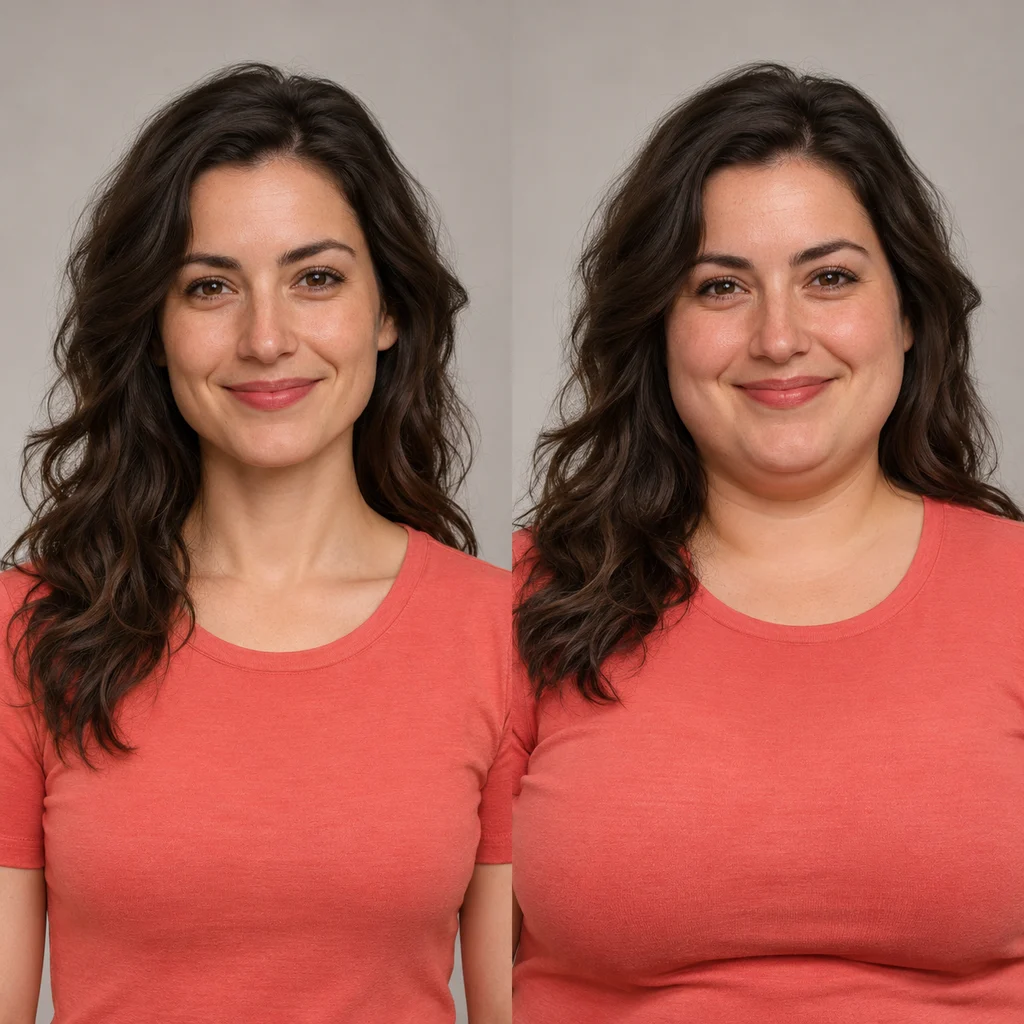
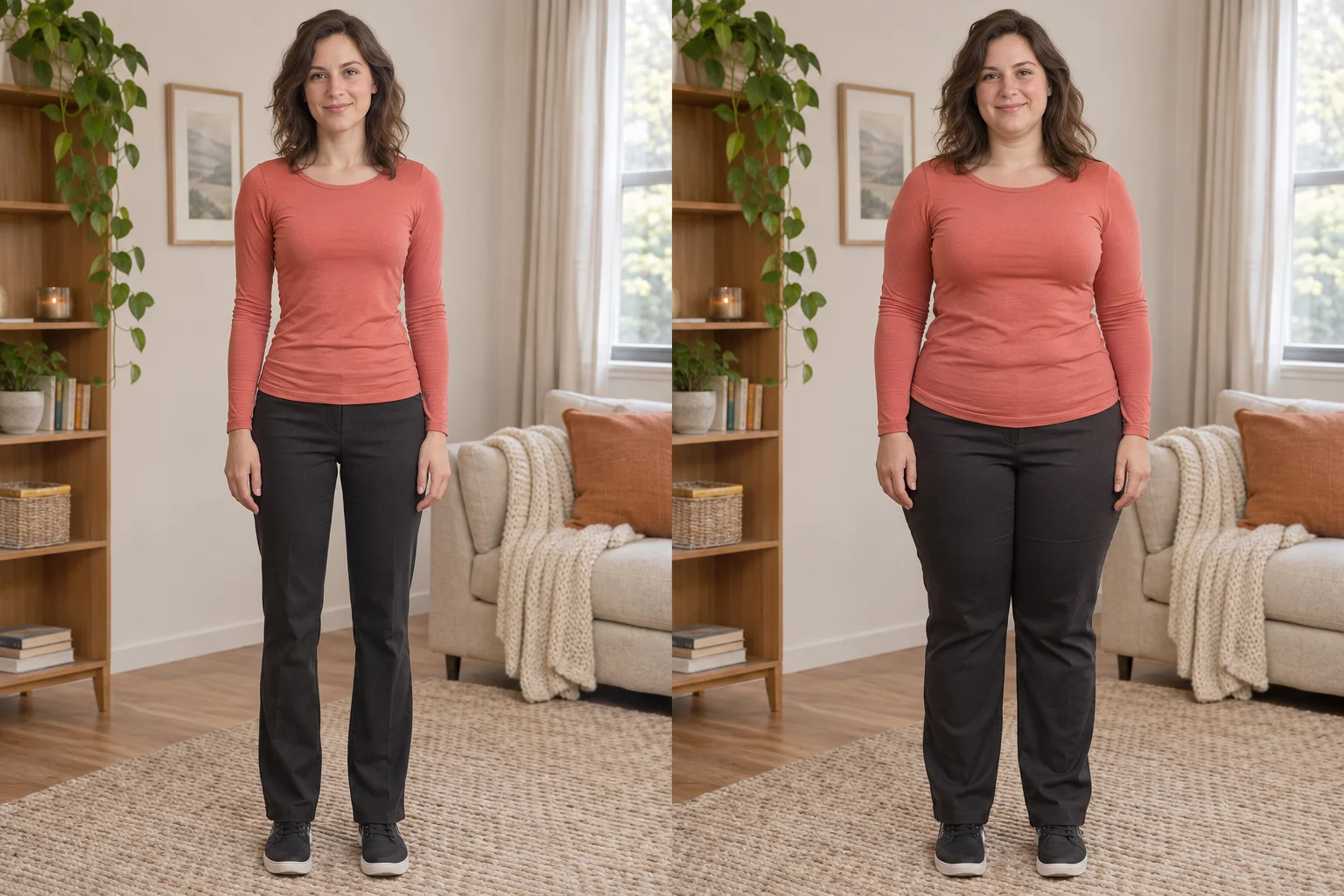
The original and a balanced result for the same fictional adult woman in a coral top.
Balanced portrait

The original and a balanced result for the same fictional adult woman in a coral top.

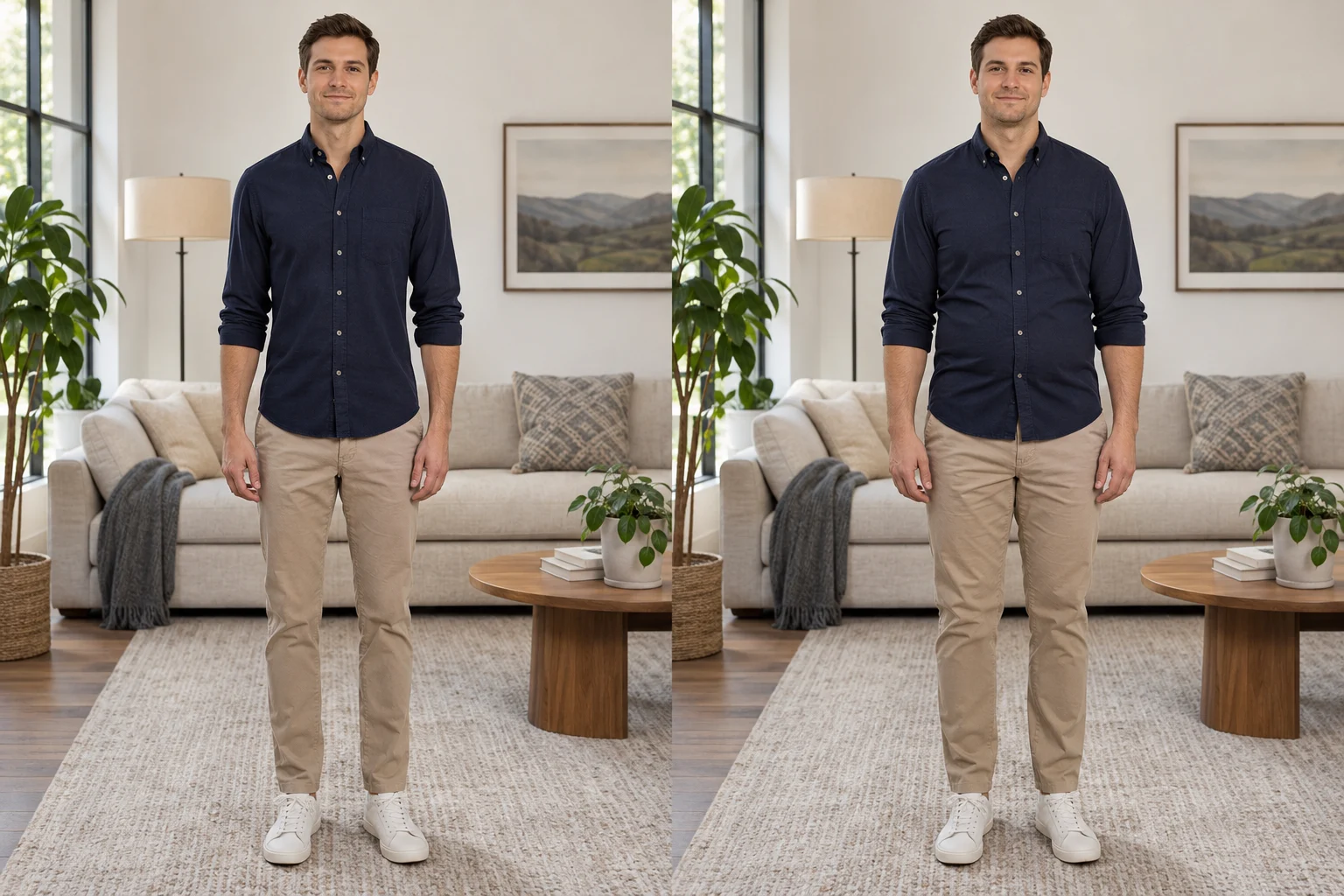
The original and a subtle result for the same fictional adult man in a navy shirt.
Subtle edit

The original and a subtle result for the same fictional adult man in a navy shirt.

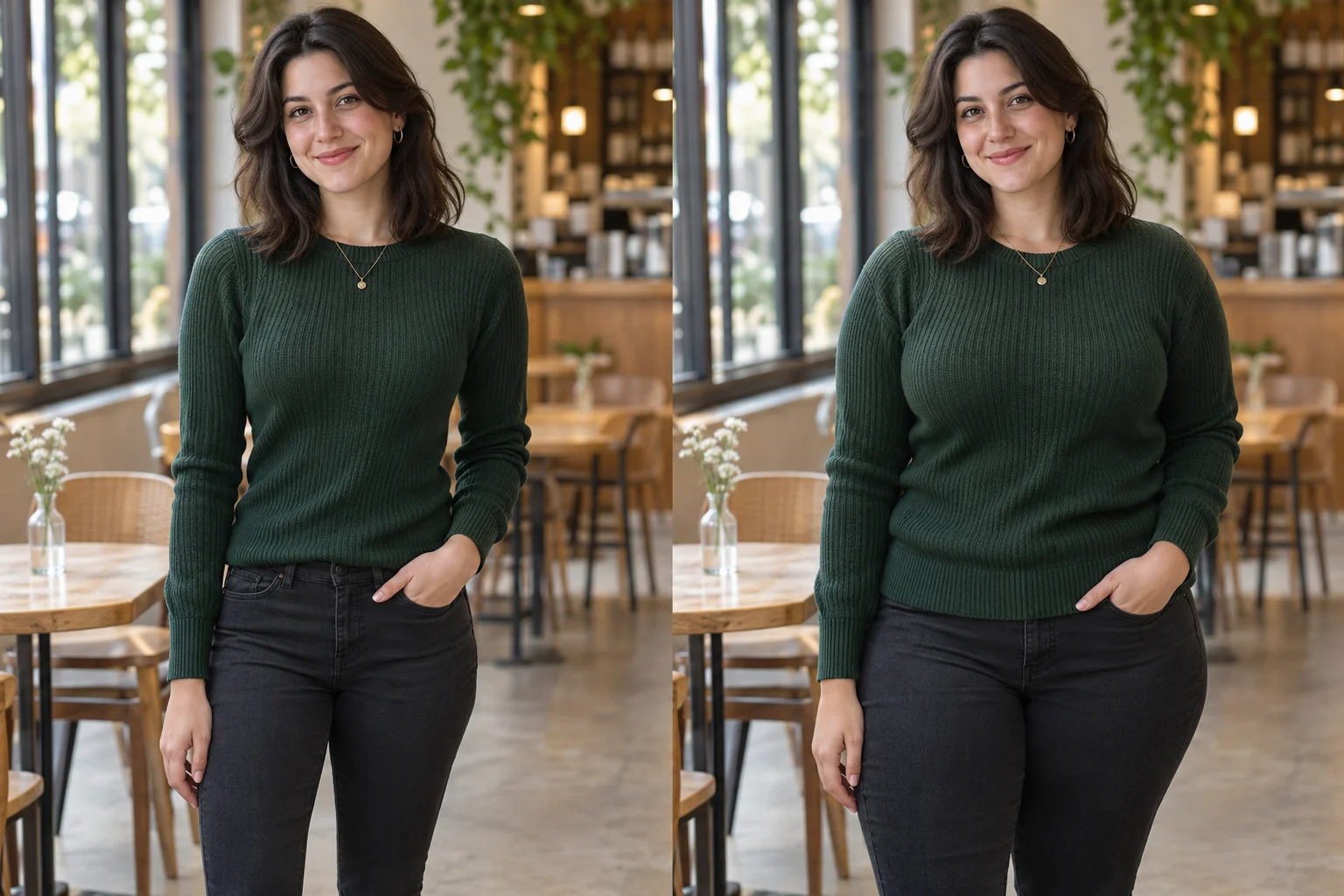
The original and a balanced result for the same fictional adult woman in a green sweater.
Balanced café portrait

The original and a balanced result for the same fictional adult woman in a green sweater.

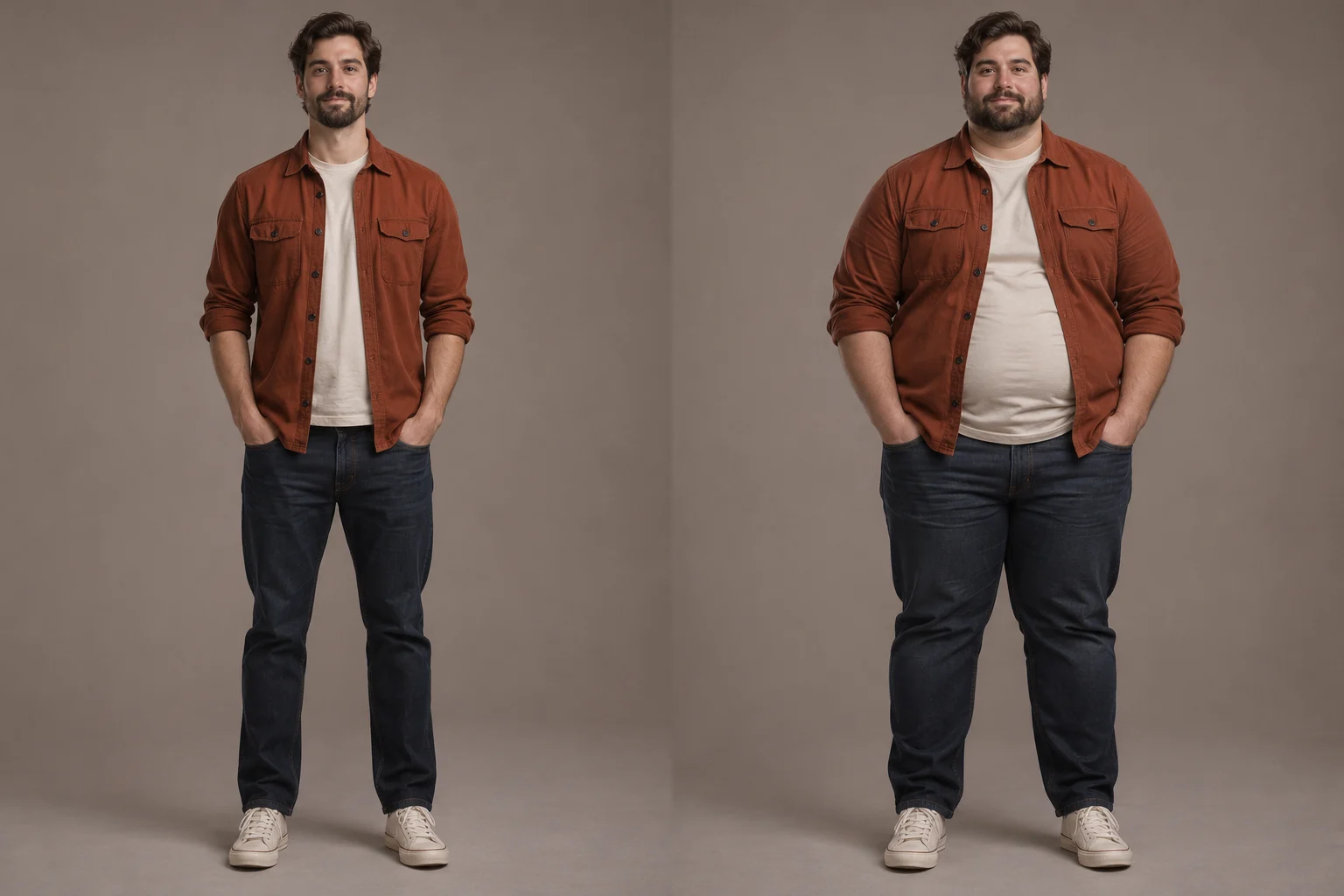
The original and a strong result for the same fictional adult man in a rust shirt.

Strong edit

The original and a strong result for the same fictional adult man in a rust shirt.

AI Fat FilterIntensity and area controls

Choose an AI Face Fat Filter or AI Body Fat Filter

Set the intensity and target area, then compare the generated preview with your original portrait.

Subtle AI Fat Filter result showing a light fuller-body edit on the same fictional adult

Compare three intensity levels

Start with subtle, balanced or strong. Use the same photo for each run so the difference is easy to see.

Balanced AI Fat Filter result demonstrating coordinated face-and-body editing

Adjust the face, body, or both

Choose face and body, face only, or full body. The edit focuses on that area and avoids cartoonish distortion and unkind stereotypes.

Strong AI Fat Filter result used to review identity, clothing, pose, and background preservation

Keep your face, outfit and background recognizable

The AI is asked to keep your face, age, expression, outfit, pose, lighting and background. Results can still vary, so compare each one with your original.

Try AI Fat Filter

Preview Body Shape Changes with Fat Filter AI

Results are for fun and creative use only. They are not health advice or a prediction of real body change.

Get a preview in three steps

Upload a portrait, pick your settings and generate. No editing skills needed.

Simple to start

Create without writing a prompt

Pick square, landscape or portrait and generate one to four images with a few clicks.

Prompt is optional

See credits before you generate

Check the total before you submit. Every extra image costs the same number of credits.

Cost shown up front

Choose the best frame for your photo

Choose 1:1 square, 3:2 landscape or 2:3 portrait output at the standard 1K image rate.

Check the details that matter

Try several looks from one photo

Run the same portrait at different intensities and keep the version that looks most natural.

Illustrative results only

Resume a saved generation

If a task takes longer than expected, return to this tab and check it again.

Recover without resubmitting

Try AI Fat Filter

How to Use AI Fat Filter from One Photo

Turn one adult portrait into a fictional fuller-body preview.

  1. Step 1: Upload one clear adult portrait

    Use a JPEG, PNG or WebP file up to 10 MB. Pick a clear photo of one consenting adult, with the face visible and space around the body.

  2. Step 2: Choose intensity, target area, and output

    Select subtle, balanced or strong. Choose face and body, face only or full body. Then set the image ratio, number of images and any optional notes.

  3. Step 3: Generate, compare and download

    Compare the result with your original. Check the face, hands, clothing and edges before you download or share it.
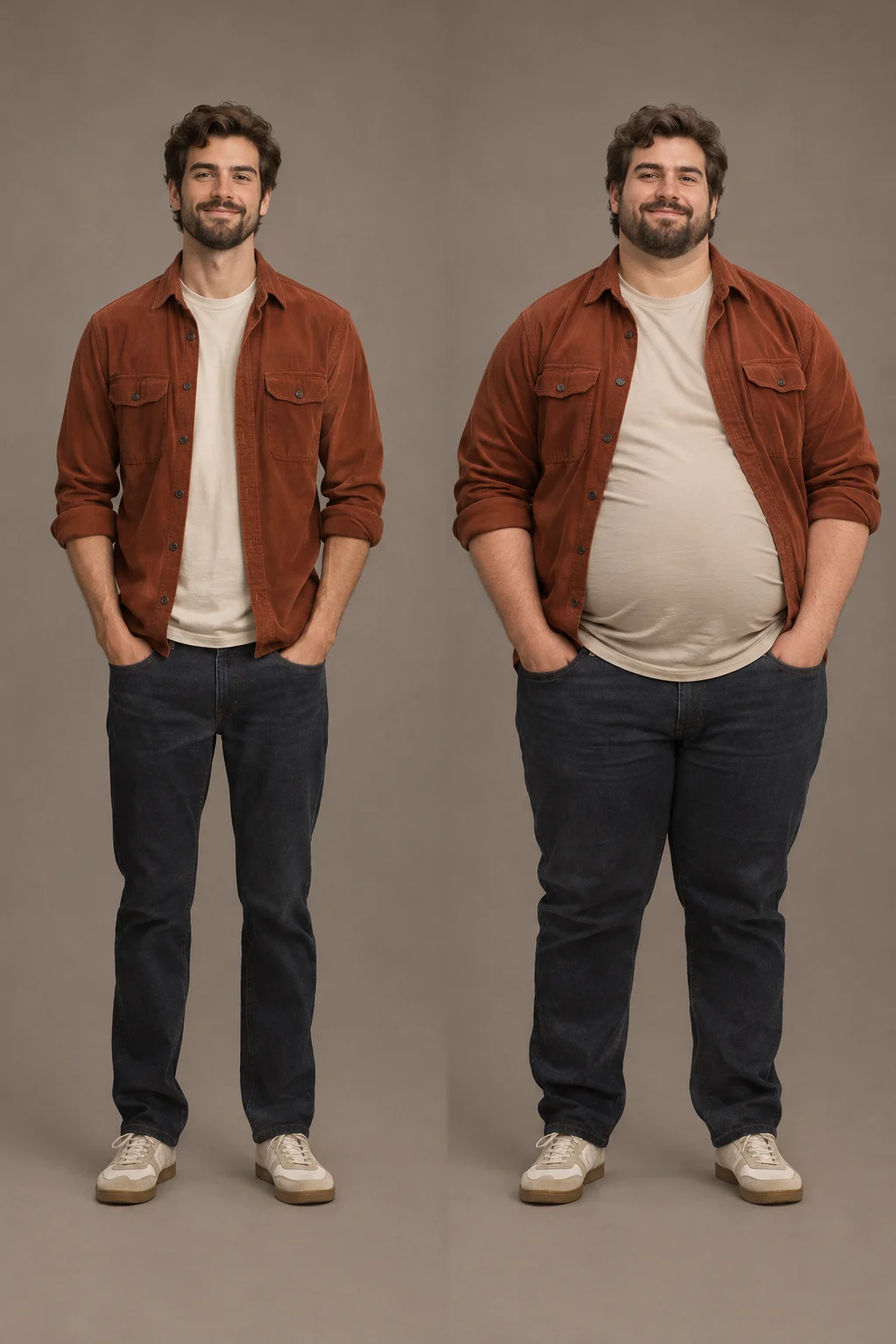
Try AI Fat Filter
Before-and-after example of a fictional adult portrait edited with AI Fat Filter using the strong setting

AI Fat Filter FAQ

Answers about credits, sign-in, face and body controls, video, privacy and what the results can and cannot show.

An AI photo fat filter is an online editing tool that turns one adult portrait into a fictional fuller-face or fuller-body preview. Upload a photo you have permission to edit, choose the intensity and target area, check the credit total, then generate and compare the result with your original. It does not predict real weight, health or clothing fit.

AI Fat Filter uses credits for every generated image, so it is not unlimited or free to use. The generator shows the credit total before you submit, and the final cost depends on how many images you create. Sign in to see your balance. Browsing examples and adjusting settings does not start a generation.

AI Fat Filter works in your browser, so there is no app to install, but you do need to sign in before you generate. Signing in is also required to check your credit balance or resume a saved task. The examples, upload requirements, settings and estimated credits are visible before you sign in.

Look for adjustable intensity, separate face and body targets, clear credit costs, a side-by-side original comparison and honest limits. This tool offers all of these, but results still vary by photo. Judge each output on how well it keeps the face, clothing, hands, edges and background, not on marketing claims.

This tool works as both. Choose face only, full body, or face and body together, so it can act as an AI face fat filter and an AI body fat filter. Use one clear adult portrait with even lighting and space around the subject. Group photos, heavy occlusion and extreme angles make results less reliable.

The AI image fat filter asks the model to keep your identity, age, expression, grooming, outfit, pose, camera angle, lighting and background. This is not guaranteed. Compare the result with your original before you download or share it, especially the face, hands, clothing patterns, body edges and background details.

AI Fat Filter creates still images, not finished videos. After downloading a result, you can add motion with a separate image-to-video tool. Treat that as a new generation: check its model, duration, resolution and credit cost, then watch the face, hands, clothing and body outline for drift during motion.

Your portrait is stored and sent to the image-generation provider to process your edit. Only upload photos of consenting adults that you have permission to edit. Uploads and results are not published to a public gallery, but automatic deletion is not promised. See the Privacy Policy for current storage, processing and account details.

Privacy policy

More to explore

Explore more tools

View All Tools

Try another image tool for your next visual idea.
  • Full Body AI Generator

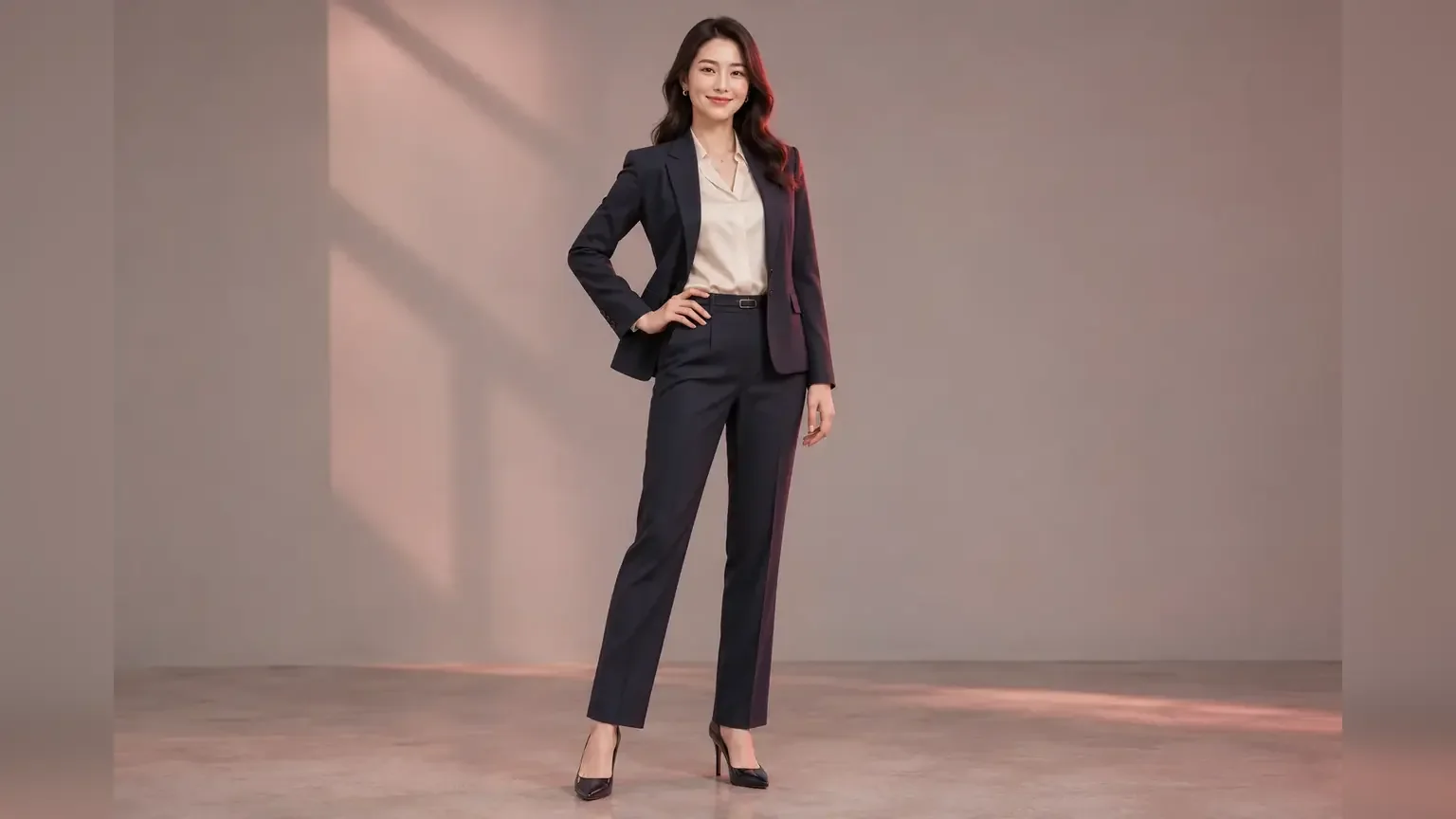
    Full Body AI Generator

    Turn a portrait or half-body photo into a complete head-to-shoes image with pose, outfit, background and resolution controls.
  • AI Influencer Photo

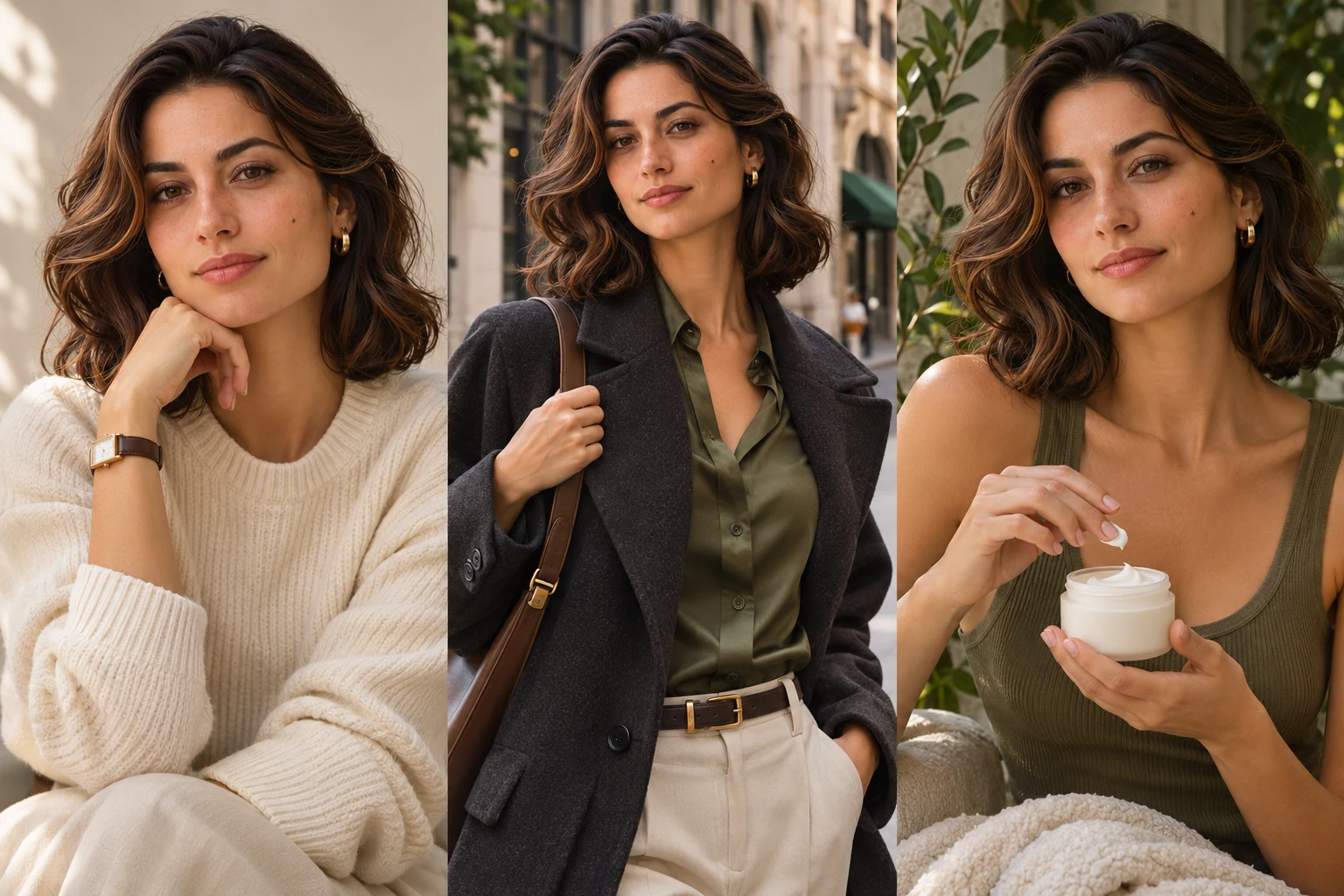
    AI Influencer Photo

    Turn one portrait into polished profile, lifestyle, fashion or product creator content.
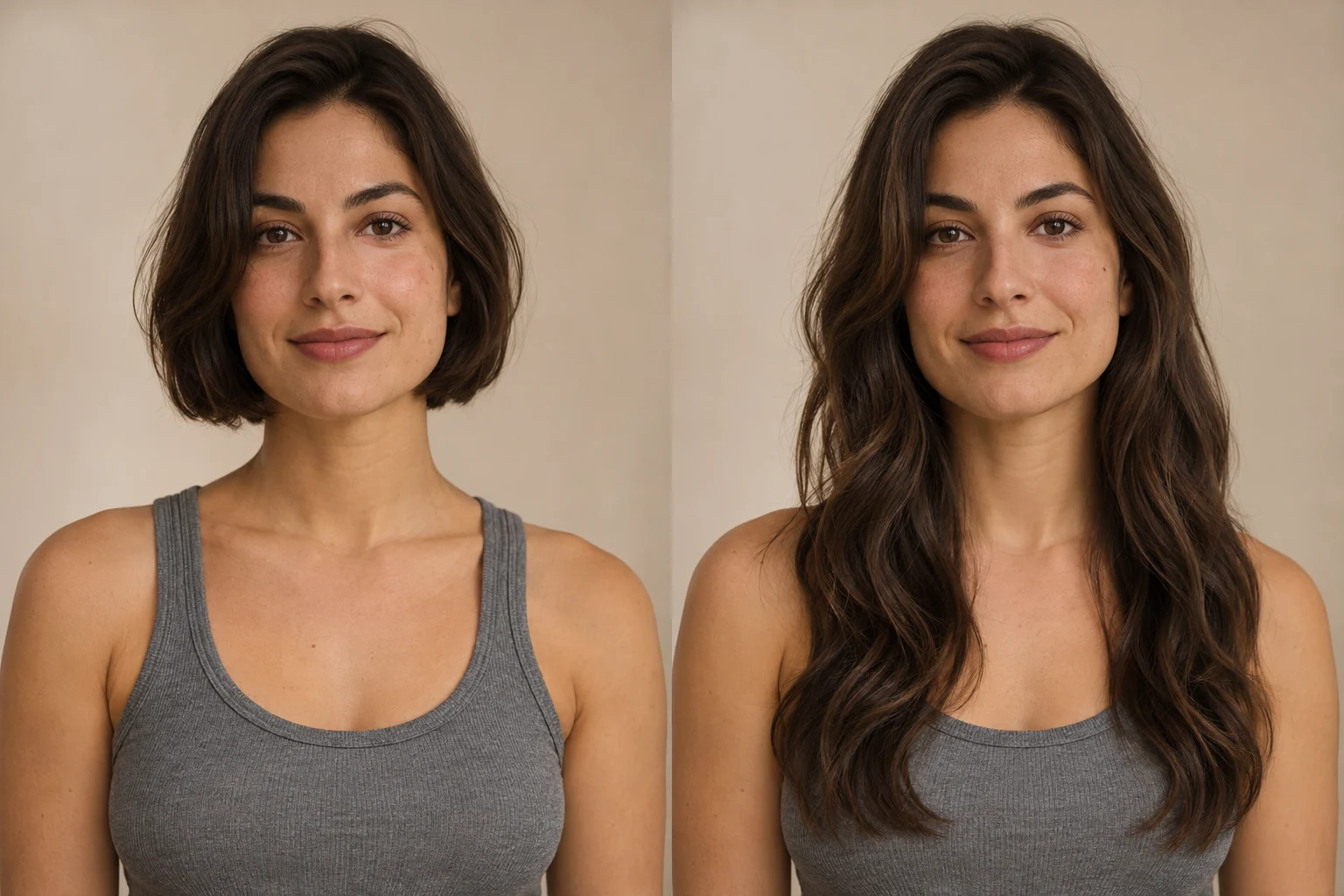
  • AI Long Hair Filter

    AI Long Hair Filter

    See how longer hair could look on you. Upload a portrait, choose the length and texture, then generate a photo preview with AI Long Hair Filter.
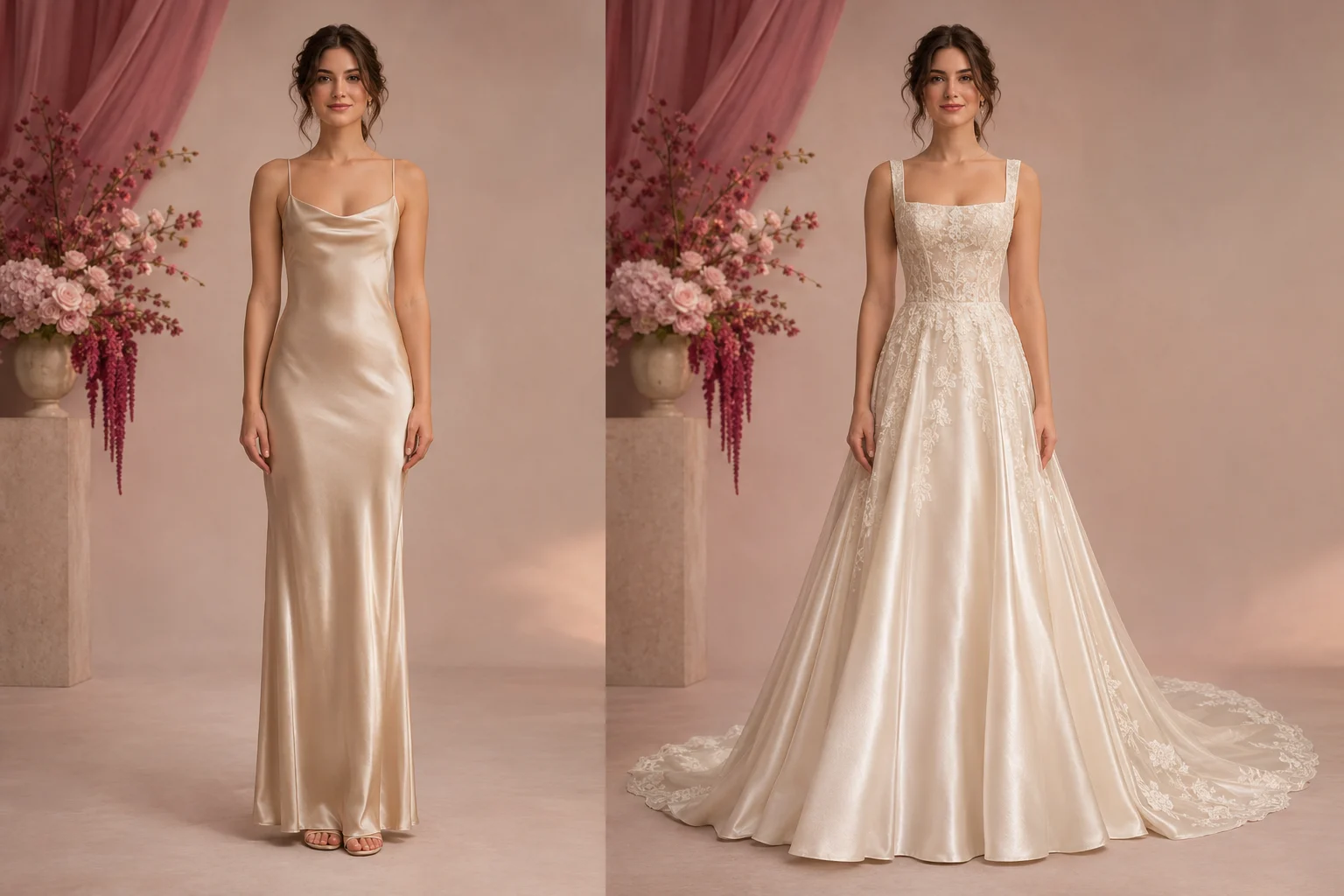
  • AI Wedding Dress Generator

    AI Wedding Dress Generator

    Preview A-line, ball gown, mermaid and sheath bridal styles on an adult portrait.

Try AI Fat Filter Online

Choose the intensity, target area, image size and number of images, check the credit total, then compare the fictional result with your original portrait.

Try AI Fat Filter
Meta Muse VideoMeta Muse Video

Meta Muse Video - Native multimodal image & video creation

support@musevideo.ai

Tools

  • All Tools
  • Image Models
  • Video Models
  • AI Effects
  • Zootopia OC Maker
  • AI Wedding Dress Generator
  • Full Body AI Generator
  • AI Pokemon Trainer Generator
  • AI Influencer Photo
  • AI Fat Filter
  • AI Long Hair Filter
  • Birth Flower Tattoo Generator
  • AI Future Baby Generator
  • AI Rap Duo
  • Crazy Frog AI
  • AI Thriller Dance
  • Angry Dance filter
  • NEON Duo Dance
  • AI Face Dance
  • AI Zombie Love Story
  • AI Music Video
  • Hotel Lobby AI
  • Migos AI Video Generator

Image Creation

  • Text to Image
  • Image Edit

Google Image Models

  • Nano Banana
  • Nano Banana 2
  • Nano Banana Pro
  • GPT Image 2

Video Creation

  • Text to Video
  • Image to Video
  • Wan 2.5
  • Kling 2.6
  • Grok Imagine

Support

  • Pricing
  • About
  • Contact

Legal

  • Privacy Policy
  • Terms of Service
  • Cookie Policy

© 2026 Meta Muse Video All Rights Reserved.

Pricingsupport@musevideo.ai