• MuseVideoMuseVideo
Explore
  • Home
  • All Tools
  • Image Models
  • Video Models
  • AI Effects
Create
  • AI Image Generator
  • AI Video Generator
  • AI Music Video
Workspace
  • My Creations
  • Pricing
Meta Muse VideoMeta Muse Video
  • Home
  • AI Video

    Video Models

    • Wan 2.5Wan 2.5Alibaba
    • Kling 2.6Kling 2.6Kuaishou
    • Grok ImagineGrok
  • AI Image

    Image Models

    • Nano BananaGoogle
    • Nano Banana 2Google
    • Nano Banana ProGoogle
    • GPT Image 2GPT Image 2OpenAI
  • AI Music
    AI Music Video
  • AI Effects

    Latest effects

    View all effects
    AI Spider Man GeneratorAI Fat FilterZootopia OC MakerAI Wedding Dress GeneratorFull Body AI GeneratorAI Pokemon Trainer GeneratorBirth Flower Tattoo GeneratorAI Future Baby GeneratorAI Influencer Photo
  • Pricing
Sign up for free
  1. Home
  2. AI Effects
  3. AI Spider Man Generator

AI Spider Man Generator: Photo to Custom Suit

Try the AI Spider Man generator with Google’s Nano Banana models. Put your portrait in a red or black spider suit, or design an original suit from text.

Create an AI Spider Man Image

Input mode

Upload your portrait

Use an adult portrait you have permission to edit. Photos are sent to the generation provider. Privacy policy

Image model
Suit color
Resolution
Number of images
More settings
Describe the color, materials, pose or setting.0/3,000
Suit style

The prompt asks the AI to keep your facial features. Compare the result with your original.

Total credits30 credits
30 credits per image × 1Balance not loaded
All my creations
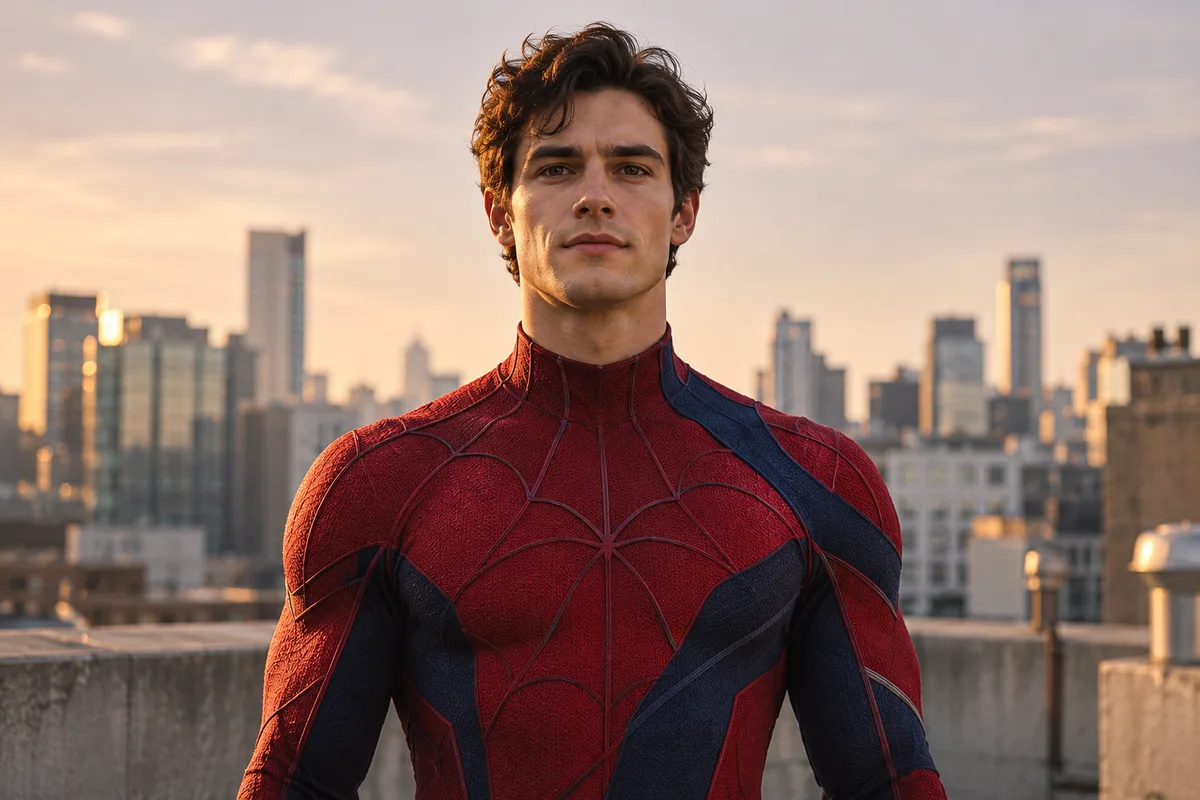
Unmasked man in a red-and-blue spider suit on a rooftop at sunset
Example preview

AI-generated style example. Use a photo or text to create your own image.

Turn Your Photo Into an AI Spider Man Portrait

Try a spider suit on your photo, or start from a text description.

For a profile picture, upload a clear adult portrait, pick a red or black suit, and choose a visible face or a full mask. For an original character, use text mode to describe the suit, pose, and setting.

Try AI Spider Man
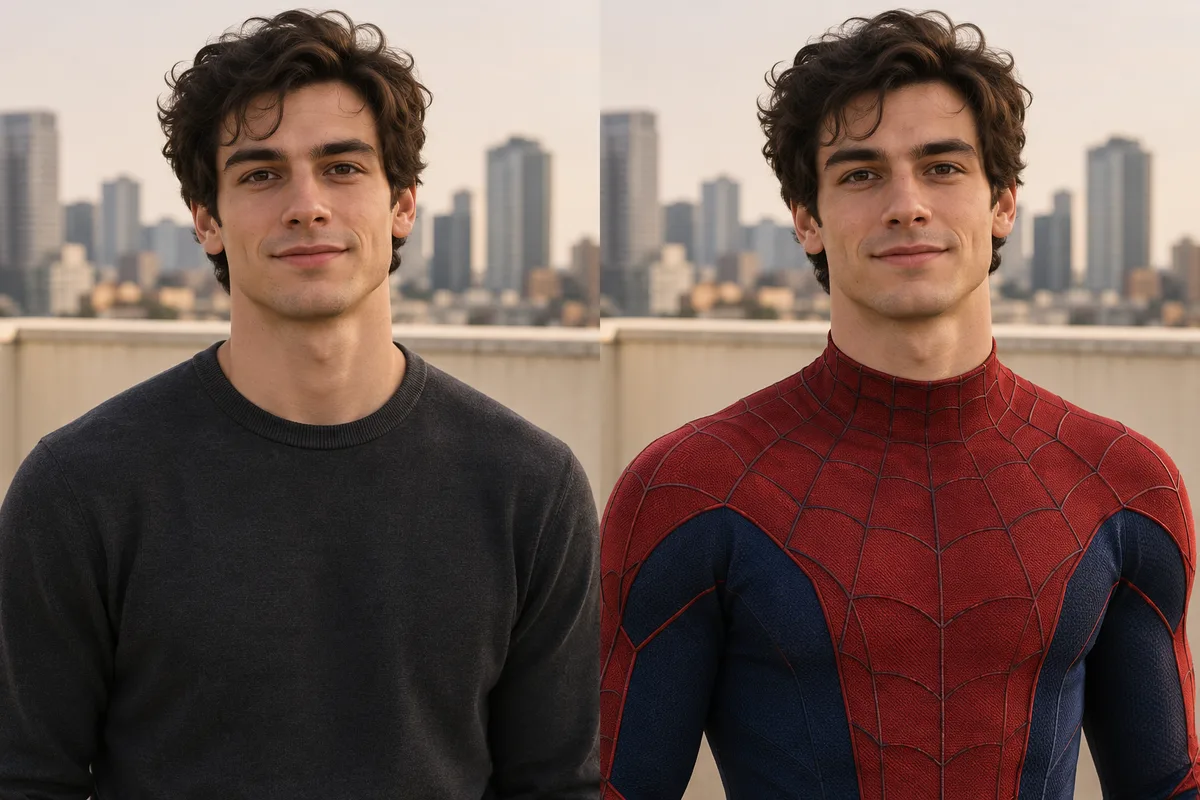
Before and after of the same man, in a charcoal sweater on the left and a red-and-blue suit on the right, made with the AI Spider Man generator
AI-generated example of a photo transformation.
  • Photo transformation
  • Text to image
  • Suit and mask controls
  • Still image preview

AI Spider Man Suit and Portrait Examples

Compare a red rooftop portrait, a masked black suit, a retro comic illustration, and graphite armor. Pick an example to start with its style.

Unmasked man in a red-and-blue spider suit on a rooftop at sunset

Cinematic

Rich color and dramatic rooftop lighting.
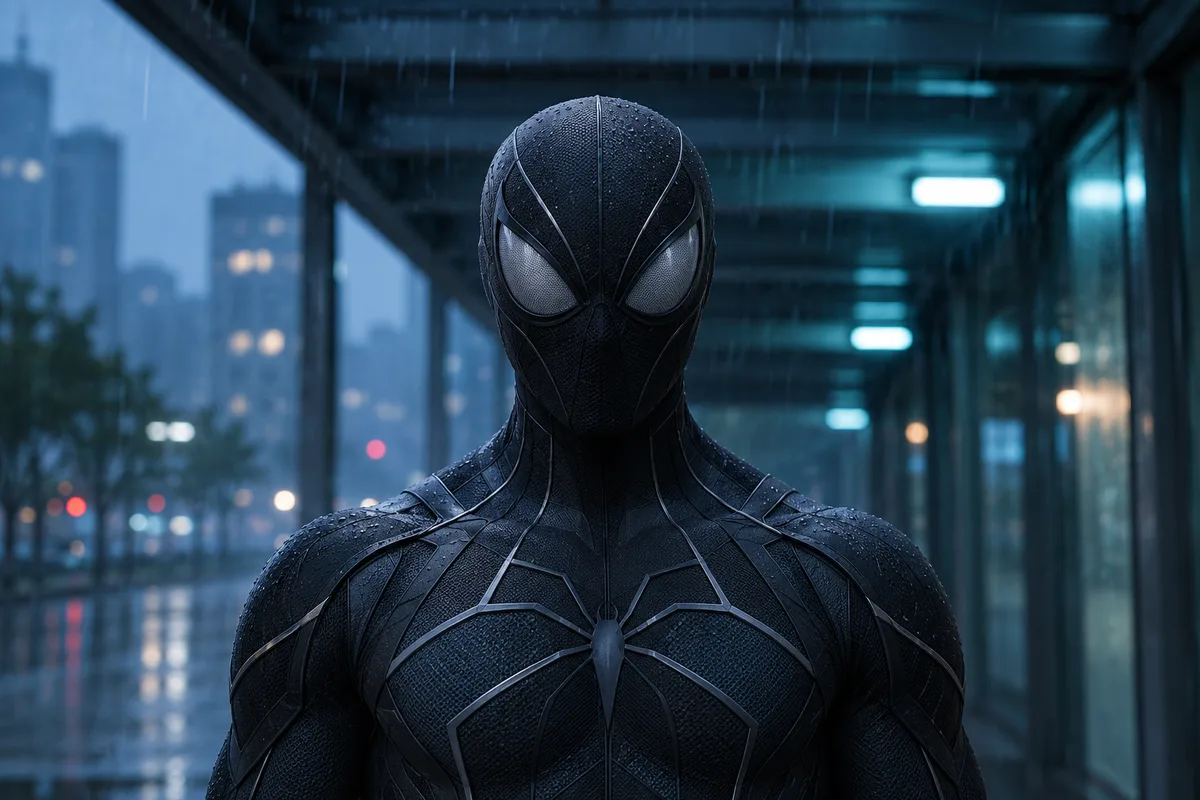
Masked hero in a black spider suit with silver stitching in a rainy city

Stealth

Graphite fabric with blue accents against a rainy city.
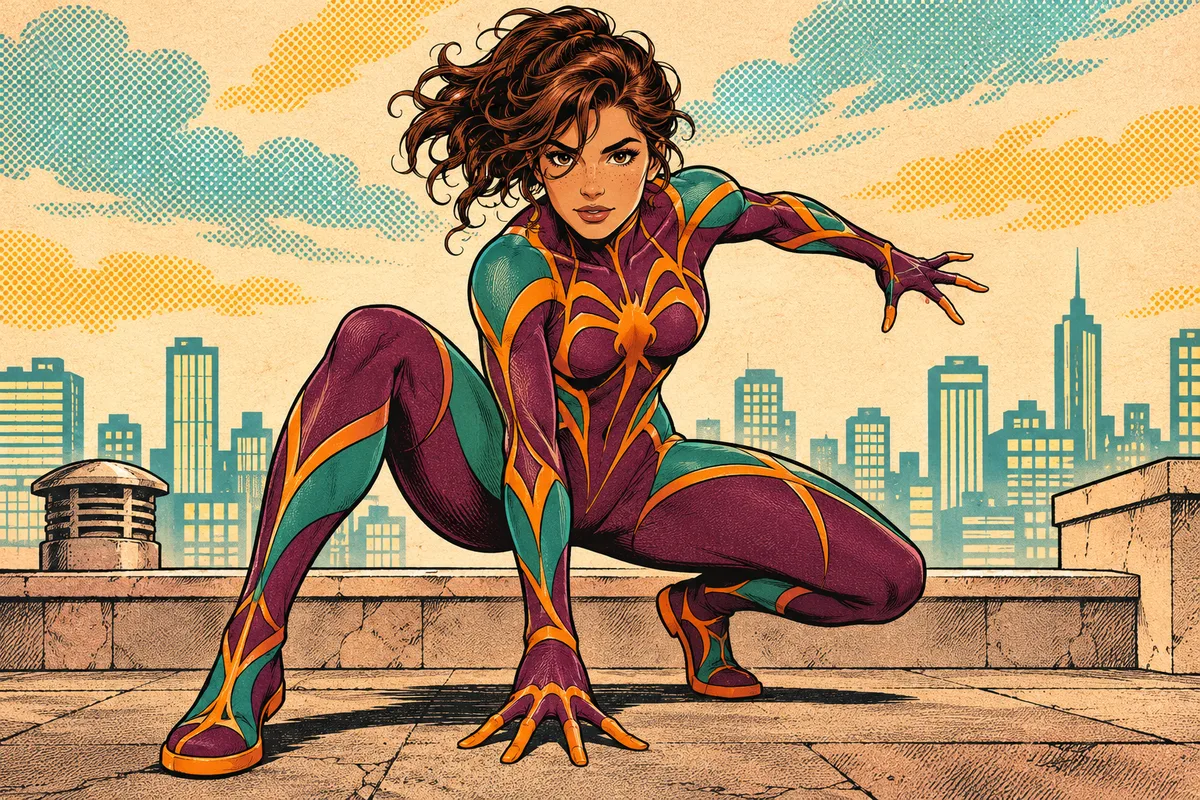
Comic illustration of a plum-and-teal spider hero crouching on a rooftop

Comic

Inked outlines, bright color and halftone shading.
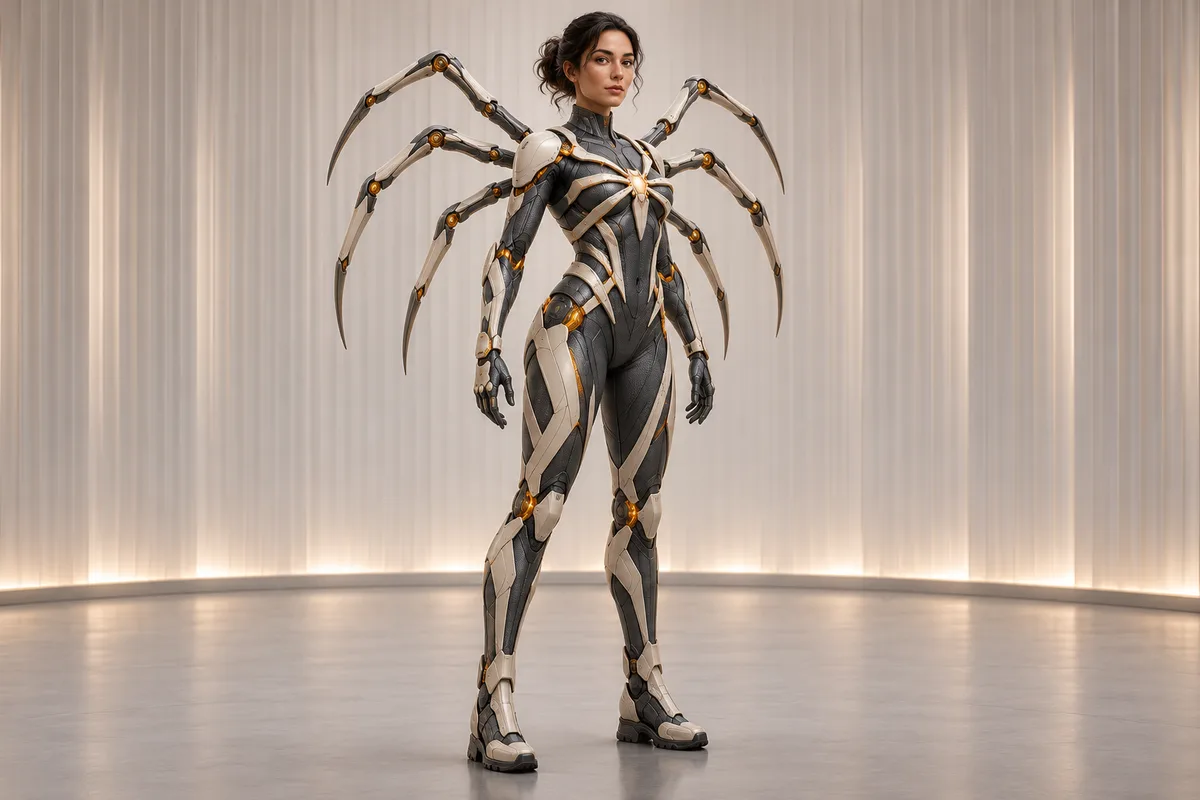
Full-body view of a hero in graphite and ivory armor with articulated spider legs

Futuristic

Light armor panels with amber details.

AI Spider Man GeneratorSuit design options

Design Your Own AI Spider Man Suit

Preview a costume on your own portrait, or write a prompt to give a new character a look of their own.

Unmasked man in a red-and-blue spider suit on a rooftop at sunset

Turn a Selfie Into a Spider Hero Profile Picture

Upload a well-lit selfie in photo mode, keep your face visible, pick the red suit, and choose a square ratio for a profile picture.

Comic illustration of a plum-and-teal spider hero crouching on a rooftop

Create an Original Spider Hero for a Comic

In text mode, pick the comic preset and describe the suit, pose, and street or rooftop you imagine. Choose a wider ratio if the setting matters.

The same man in a charcoal sweater on the left and a red-and-blue spider suit on the right

Compare Red and Black Suits Before Cosplay

Generate red and black versions from the same photo. Check the face, mask edges, and lighting before you use an image as a costume reference.

Design an AI Spider Man Suit

What Can You Make With the AI Spider Man Generator?

Create a superhero avatar, test a costume idea, or build a character reference for a comic.

Superhero profile pictures

Give an adult portrait a custom suit for an avatar or social post.

One photo

Original suit designs

Explore a new character from a text prompt and a style preset.

No photo needed

Know the cost first

See the credit total next to the Generate button before you start.

Upfront pricing

1K, 2K, or 4K output

With Nano Banana Pro, pick the resolution that suits a phone wallpaper or a detailed costume reference.

Flexible output

Mask and background

Show your face or use a full mask, then keep your photo background, generate a new one, or use solid white.

Creative control

Saved tasks

If a generation takes a while, come back to this tab and check your saved task.

Pick up later

Create an AI Spider Man Portrait

How to Create an AI Spider Man Image

Start with one portrait or a short suit prompt. Then pick a look, generate a still image, and check the result.

  1. Step 1: Upload a Portrait or Enter a Suit Prompt

    In photo mode, upload a clear JPEG, PNG, or WebP up to 10 MB, or pick a reference from your assets library. In text mode, describe the character, suit, and scene.

  2. Step 2: Select a Suit Color, Mask, and Aspect Ratio

    Choose Nano Banana or Nano Banana Pro, then pick the suit color, mask style, aspect ratio, and number of images. Nano Banana Pro also offers 1K, 2K, and 4K resolution.

  3. Step 3: Generate, Review, and Download Your Image

    Sign in and check the credit total, then generate. In photo mode, compare the face and outfit with your original. Downloads require an eligible plan or credit top-up.

Create AI Spider Man Image
Full-body spider hero in graphite and ivory armor, a suit design made from a text prompt in the AI Spider Man generator

AI Spider Man Generator FAQ

Find out how photo edits, suit prompts, masks, and credits work.

Upload one clear adult portrait in Photo transformation mode, then pick a red or black suit, choose whether to show your face, and set the aspect ratio. Check the credit total, generate, and use the side-by-side comparison to review the face, costume, and background against your original.

Describe the character, the costume materials, and the setting. A short prompt works well, such as “black fabric suit with silver seams and a full mask, on a rainy rooftop.” Select Text to image and a style preset to get a first image without uploading any portrait.

Pick Red suit or Black suit, then select Face visible under Mask. Use a sharp, well-lit photo with your face toward the camera. The model can still change details around the face, so compare the result with your original before you save it or share it as a costume preview.

Use a sharp JPEG, PNG, or WebP up to 10 MB showing one adult who agrees to the edit. Face the camera and leave space around the head and body. Even lighting helps, while hats, hands, or props over the face or torso can make the suit harder to apply.

The cost depends on the model, the number of images, and, with Nano Banana Pro, the resolution. Sign in to see your balance and the total beside the Generate button before you start. You can request up to four images at a time, and each image uses credits.

Choose 9:16 for a vertical phone wallpaper or 16:9 for a widescreen desktop. Keep the character away from the edges so there is room for your clock and icons. With Nano Banana Pro, pick 2K or 4K if you want more suit detail.

The generator creates still images, not video. Download a finished image with an eligible plan or credit top-up, then use it as a title card, thumbnail, or storyboard frame in your video editor. Check photo edits against the original before you download.

MuseVideo uploads your photo to storage and sends it to the selected image generation provider to process the costume edit. Use only adult photos you have permission to edit. If you prefer not to upload a photo, text mode works from a description alone. See the Privacy Policy for details.

Privacy policy

More to explore

Explore more tools

View All Tools

Try more AI image tools for your next idea.
  • Zootopia OC Maker

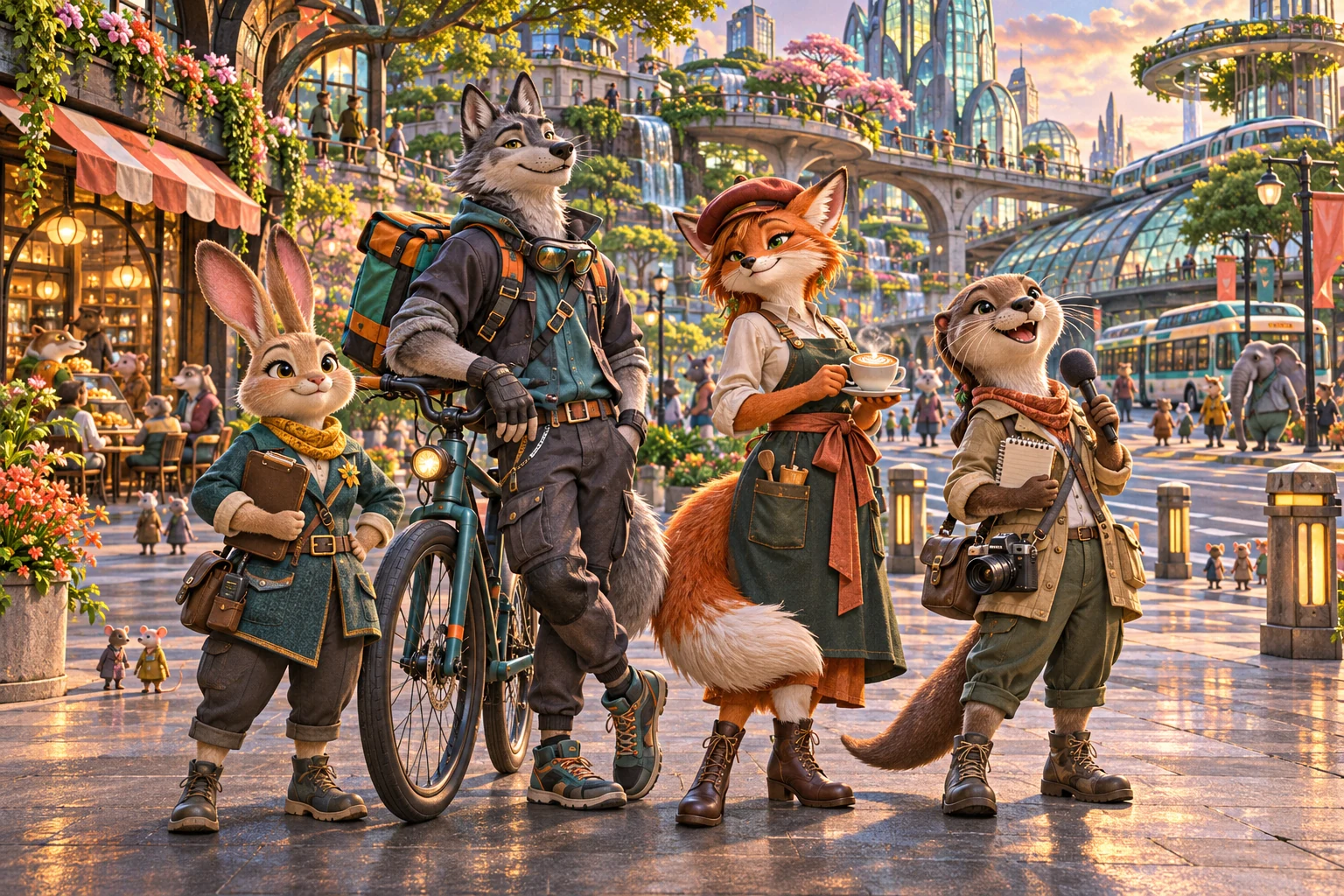
    Zootopia OC Maker

    Create an original animal-city OC. Choose a species, occupation, district and art style, then generate a full-body character or reference sheet.
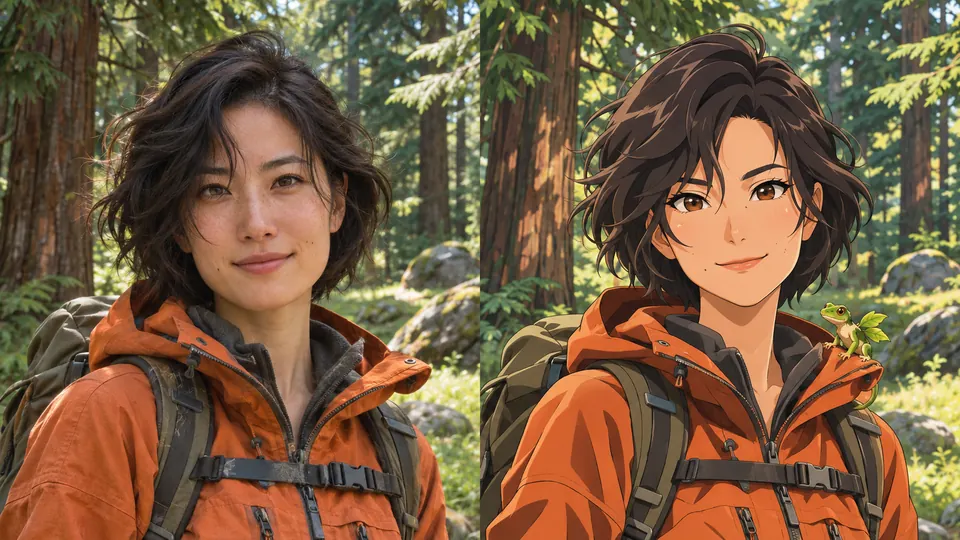
  • A woman in an orange jacket, shown as a photo and as an illustrated trainer with a green creature

    AI Pokemon Trainer Generator

    Turn an adult portrait into an illustrated trainer. Choose anime, pixel art, watercolor or 3D, then compare the result with your photo.
  • A cinematic fashion portrait in a dark atelier

    Nano Banana Pro

    Shape detailed concepts, editorial imagery and campaign visuals.
  • An architectural model on a sunlit studio desk

    Nano Banana

    Turn a prompt or reference image into a new visual direction.

Create Your AI Spider Man Portrait

Upload a portrait for a red or black suit edit, or write a prompt to design an original spider hero.

Start the AI Spider Man Generator
Meta Muse VideoMeta Muse Video

Meta Muse Video - Native multimodal image & video creation

support@musevideo.ai

Tools

  • All Tools
  • Image Models
  • Video Models
  • AI Effects
  • AI Spider Man Generator
  • Zootopia OC Maker
  • AI Wedding Dress Generator
  • Full Body AI Generator
  • AI Pokemon Trainer Generator
  • AI Influencer Photo
  • AI Fat Filter
  • AI Long Hair Filter
  • Birth Flower Tattoo Generator
  • AI Future Baby Generator
  • AI Rap Duo
  • Crazy Frog AI
  • AI Thriller Dance
  • Angry Dance filter
  • NEON Duo Dance
  • AI Face Dance
  • AI Zombie Love Story
  • AI Music Video
  • Hotel Lobby AI
  • Migos AI Video Generator

Image Creation

  • Text to Image
  • Image Edit

Google Image Models

  • Nano Banana
  • Nano Banana 2
  • Nano Banana Pro
  • GPT Image 2

Video Creation

  • Text to Video
  • Image to Video
  • Wan 2.5
  • Kling 2.6
  • Grok Imagine

Support

  • Pricing
  • About
  • Contact

Legal

  • Privacy Policy
  • Terms of Service
  • Cookie Policy

© 2026 Meta Muse Video All Rights Reserved.

Pricingsupport@musevideo.ai